Notice what calms you – and what tenses you up.
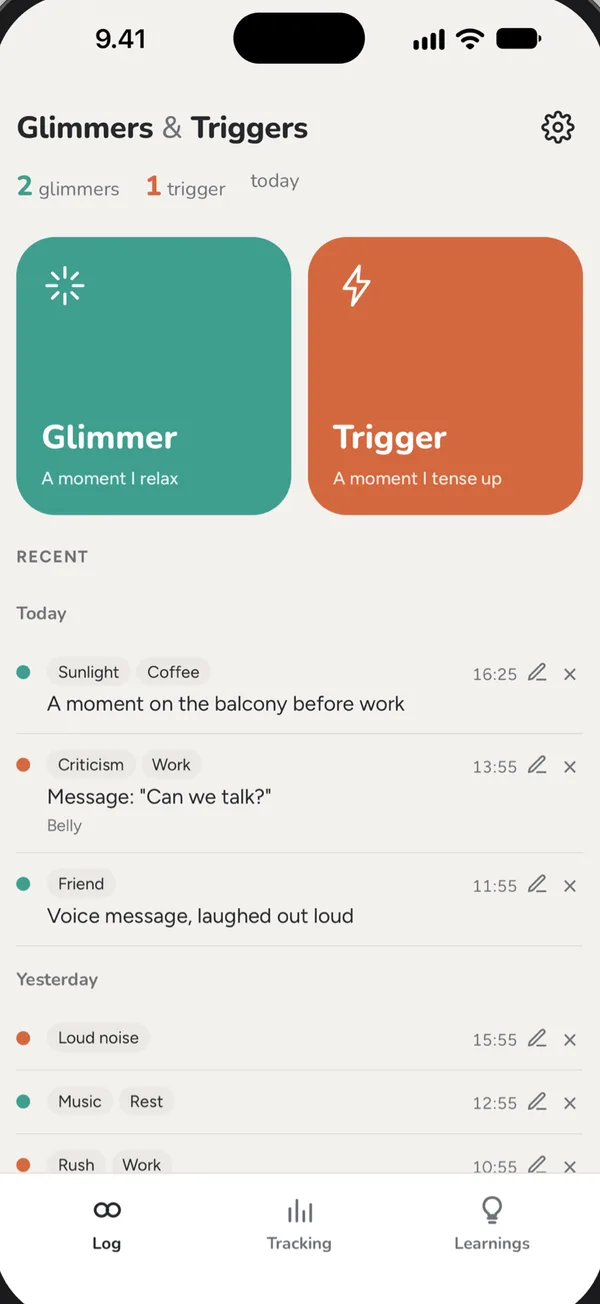
Two big buttons. A Glimmer is a moment you relax, a Trigger is a moment you tense up. One tap saves the time, and over the days a pattern starts to show.
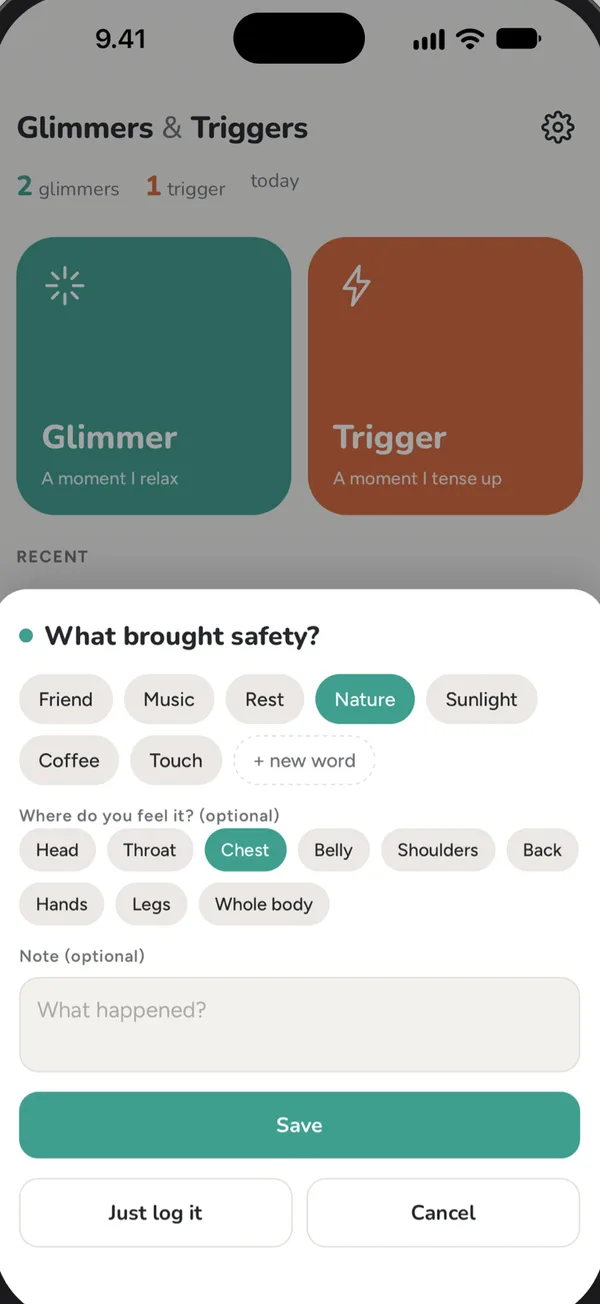
One tap, words if you like
- Two buttons – the time is saved instantly
- Pick words from your own earlier words, or add a new one
- Where do you feel it in your body?
- A short note if you want one
- Quick logging from the Lock Screen, Control Center and a Home Screen widget
What keeps coming back
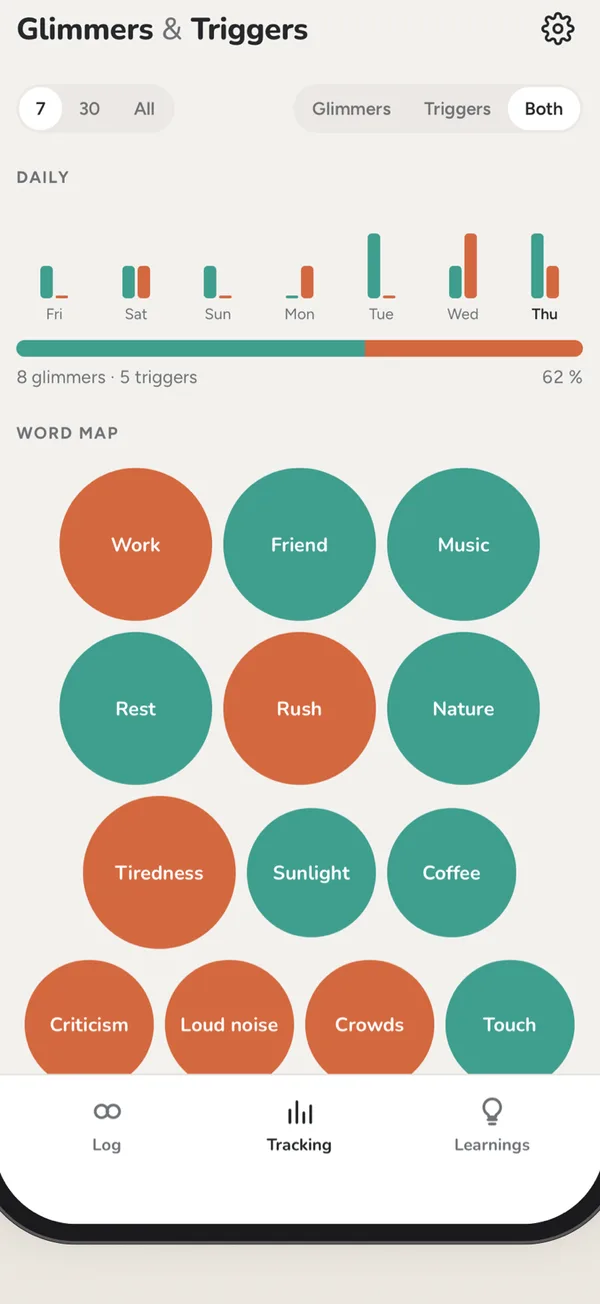
- Daily bars and your glimmer-to-trigger balance
- Word map: big bubbles are words that repeat
- Word table and body areas
- Filter by 7 days, 30 days or everything, glimmers, triggers or both
Reflect on what repeats
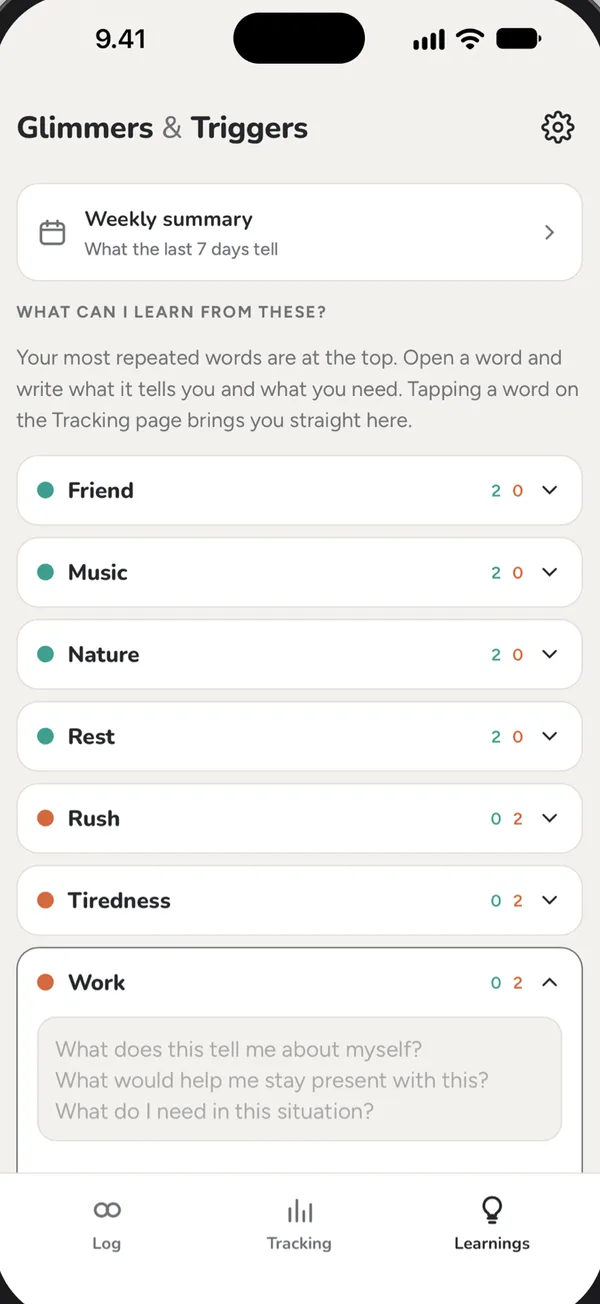
- Open a recurring word and reflect with guiding questions: What does this tell me about myself? What do I need in this situation?
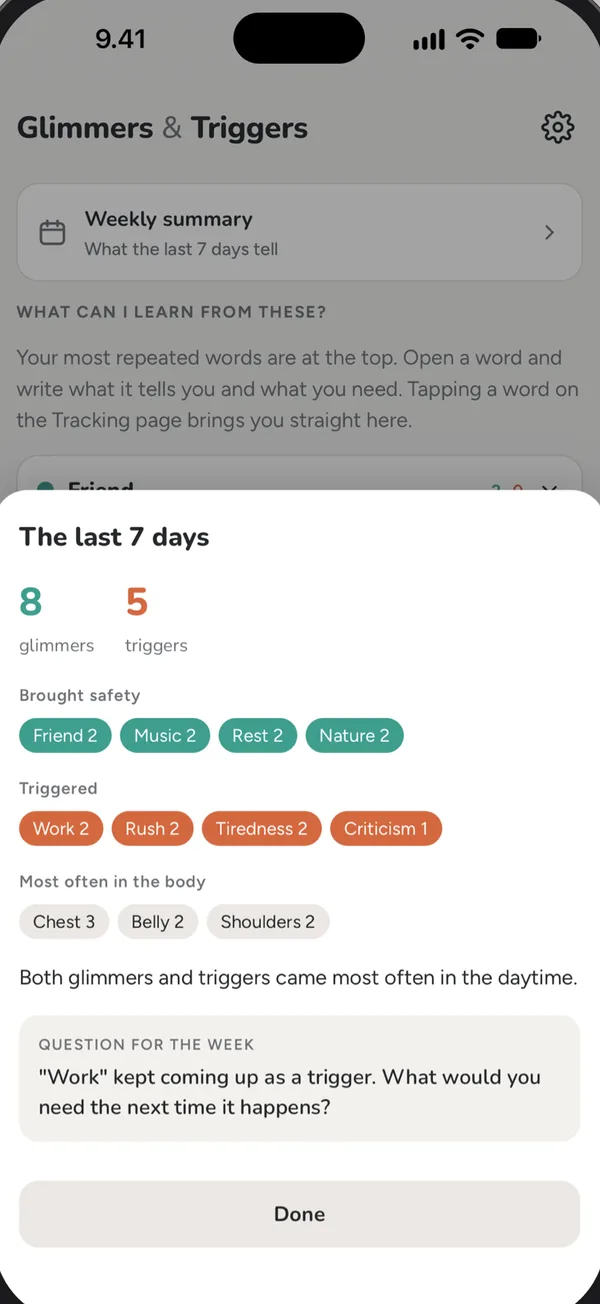
- A weekly summary of the last seven days, with one question for the week
- Backup: export and import your data
The term glimmer was introduced by therapist Deb Dana, based on polyvagal theory. Glimmers are small moments of safety that are easy to miss. Logging them helps you notice safety as readily as threat.
Free to log. Pro once, no subscription.
Free
- Unlimited logging with words, body areas and notes
- Quick logging from the Lock Screen and widget
- Tracking for the last 7 days, word map and word table
Pro
- Learnings with guiding questions
- Weekly summary and a question for the week
- Tracking for 30 days and your whole history
- Backup: export and import
Glimmers & Triggers is a tool for self-observation. It is not a substitute for therapy and not a medical device.
Questions and answers
How do I log from the Lock Screen?
Add the Glimmer and Trigger controls in Control Center or on the Lock Screen (iOS 18 or later), or add the Home Screen widget. A tap saves the time; add words later in the app.
What are the example entries?
The app shows a week of example entries on first launch so you can see how it works. Clear removes them.
How do I restore Pro on a new phone?
Open the Pro sheet or Settings (gear) → Restore purchases, with the same Apple ID.
How do I move my entries to a new phone?
Settings → Backup → Export file, then Import file on the new phone.
Contact: hello@embodyapps.fi. Tell me your iPhone model and iOS version.
No account. No ads. No tracking.
Glimmers & Triggers collects nothing. Your entries stay on your own phone.
Coming soon to the App Store
For iPhone, in English and Finnish. Leave your email and I'll let you know the day it's out.
Or try it now in TestFlight →