
Play by tilting. Feel every note.
Haptisynth turns your iPhone into an instrument you play with your whole hand. Tilt to bend the pitch, slide your finger to add effects, and feel every note as a soft tick in your hand. Like a theremin you can hold.
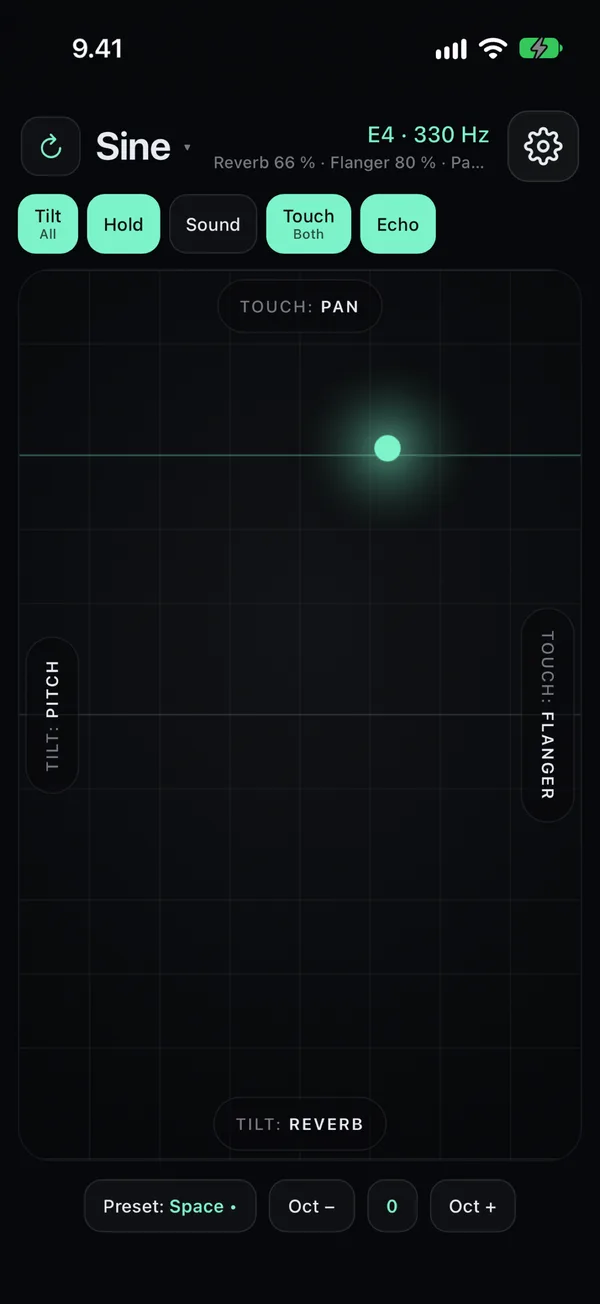
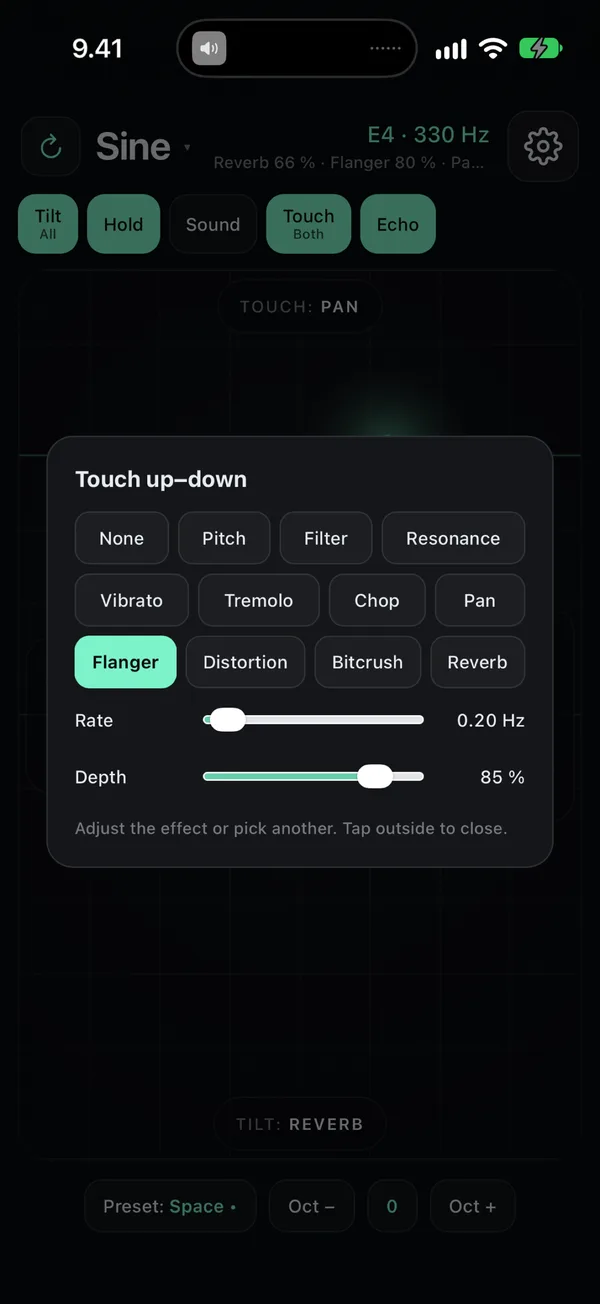
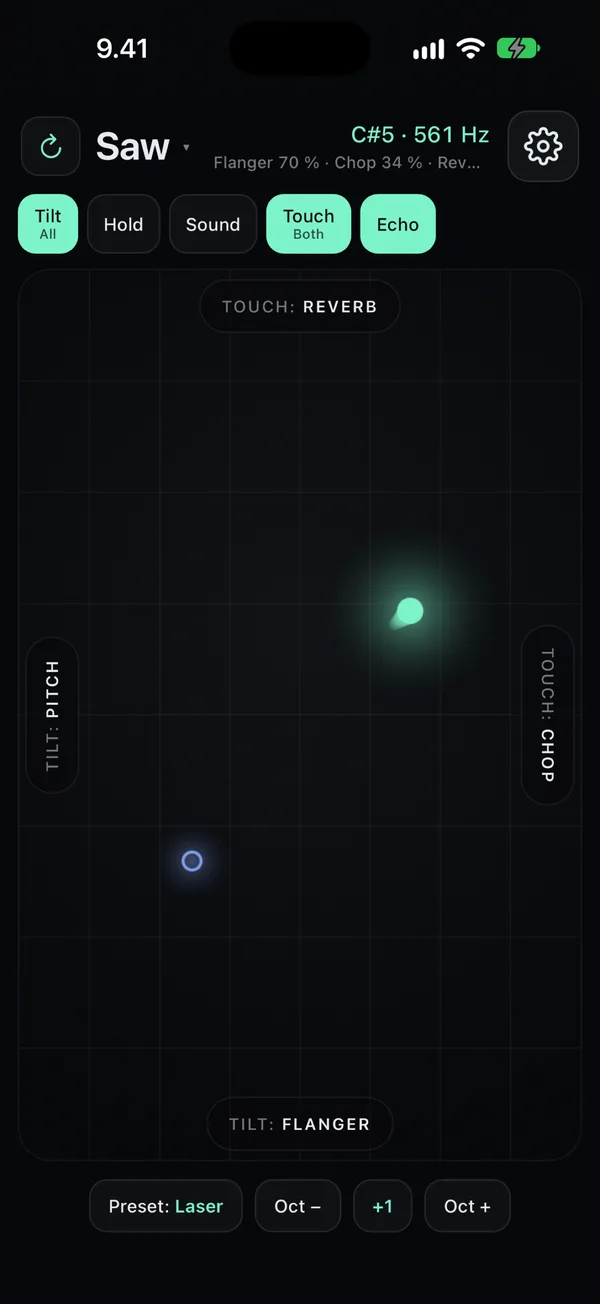
Shape the sound while you play
Each effect has its own rate and depth. On top of these: four waveforms, echo, fade-out and glide, and scales that keep everything in tune – pentatonic, chromatic or free.
Tilt and touch, both directions
- Tilt up–down and left–right
- Touch up–down and left–right
- Choose what each one controls: pitch or any of the ten effects
- The ball shows what plays the notes, a second ring shows the other control
- Every note ticks in your hand – play by feel, even without looking
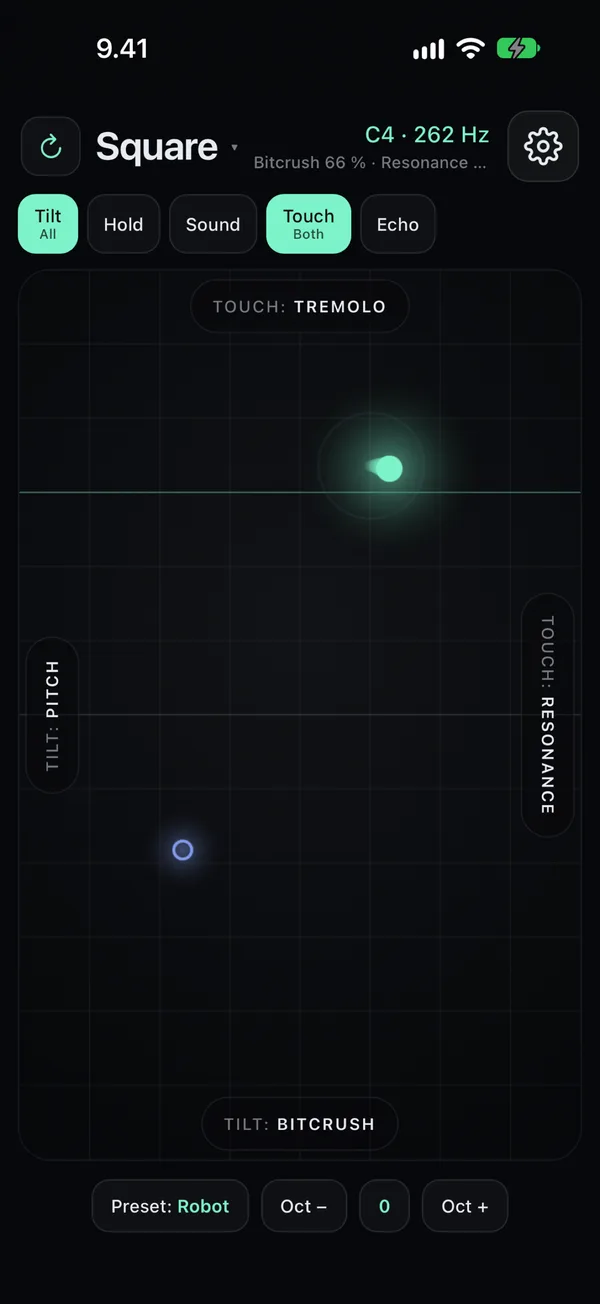
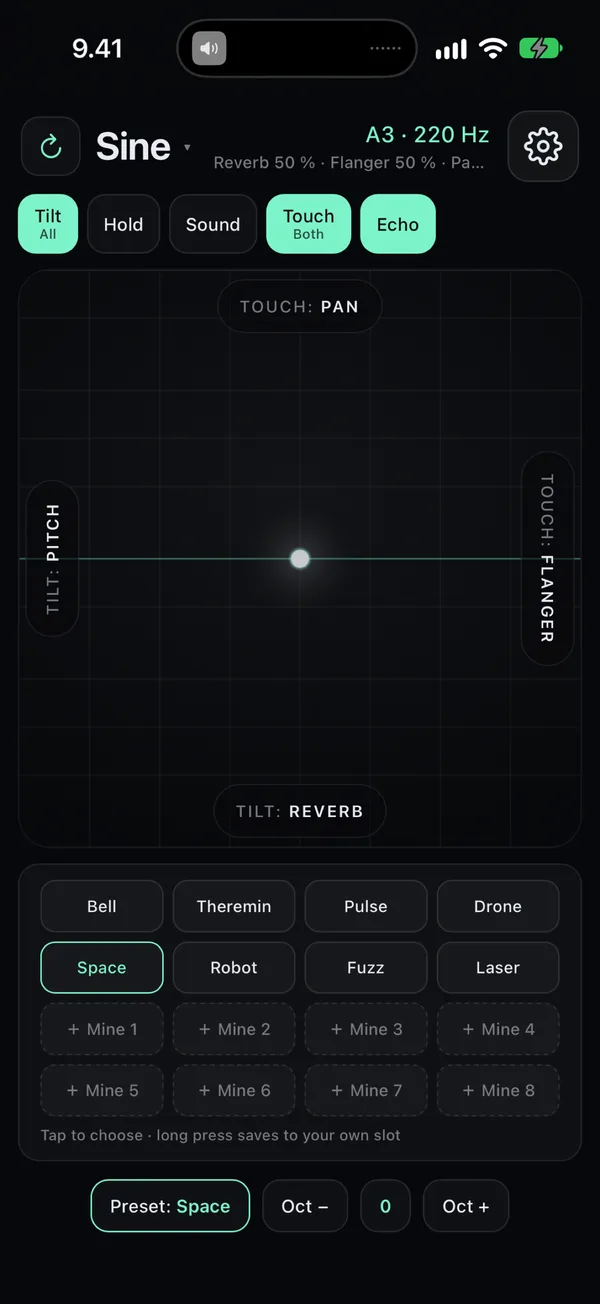
Eight ready sounds and eight of your own
Tap a preset to load it, long-press one of the eight own slots to save the current sound. Hold keeps a drone going while you shape it.
Free to play. Pro once, no subscription.
Free
- Play with tilt and touch
- Pitch and filter
- Two waveforms
- The Bell preset and one slot of your own
Haptisynth Pro
- All ten effects
- All waveforms, scales, ranges and keys
- All eight presets and eight own slots
Questions and answers
Do I need headphones?
No. The speaker works, but headphones bring out the low notes, the reverb and the echo.
The sound drifts even though I hold the phone still.
Tap Reset position in the settings: the current position becomes the centre. It also resets itself when the app opens.
Does it play with the silent switch on?
Yes. Haptisynth is an instrument, so it plays even when the phone is on silent.
How do I restore Pro on a new phone?
Settings (gear) → Restore purchases, with the same Apple ID.
Contact: hello@embodyapps.fi. Tell me your iPhone model and iOS version.
Free to play. Pro once, no subscription.
Haptisynth collects nothing. Your settings and sounds stay on your own phone.
Coming soon to the App Store
For iPhone, in English and Finnish. Leave your email and I'll let you know the day it's out.
Or try it now in TestFlight →