Time for every voice.
Timers and speaking time for circles, groups and pairs. See who speaks, how long, and how the time is shared.
Who speaks, how long, and how the time is shared
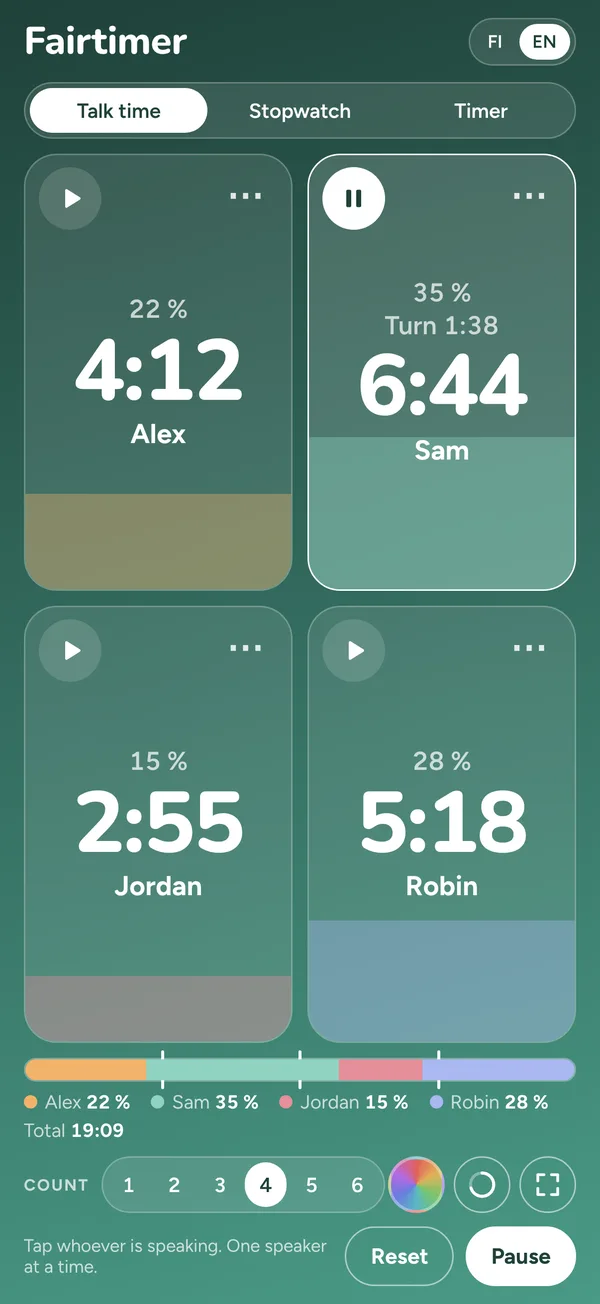
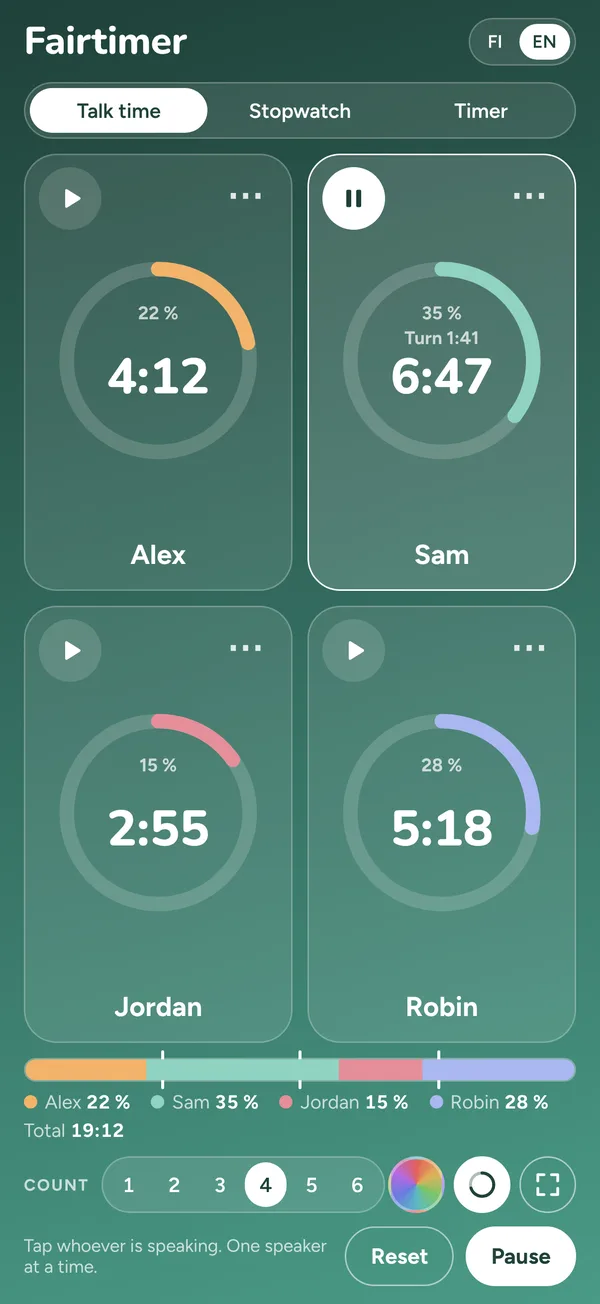
- Tap whoever is speaking: one speaker at a time, tapping the next stops the previous
- Each tile fills with that person's share, with percentages and the total below
- A shared bar with marks at the equal share, so imbalance is visible at a glance
- Optional limit per turn: a single soft chime when it runs over
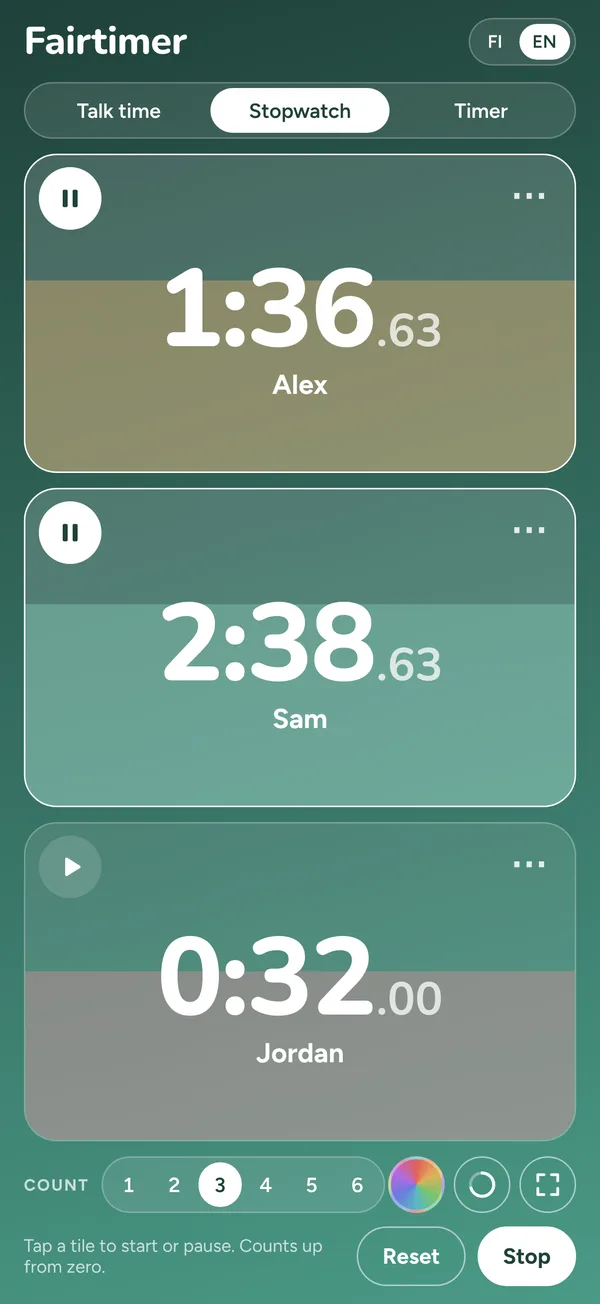
Up to six timers at once
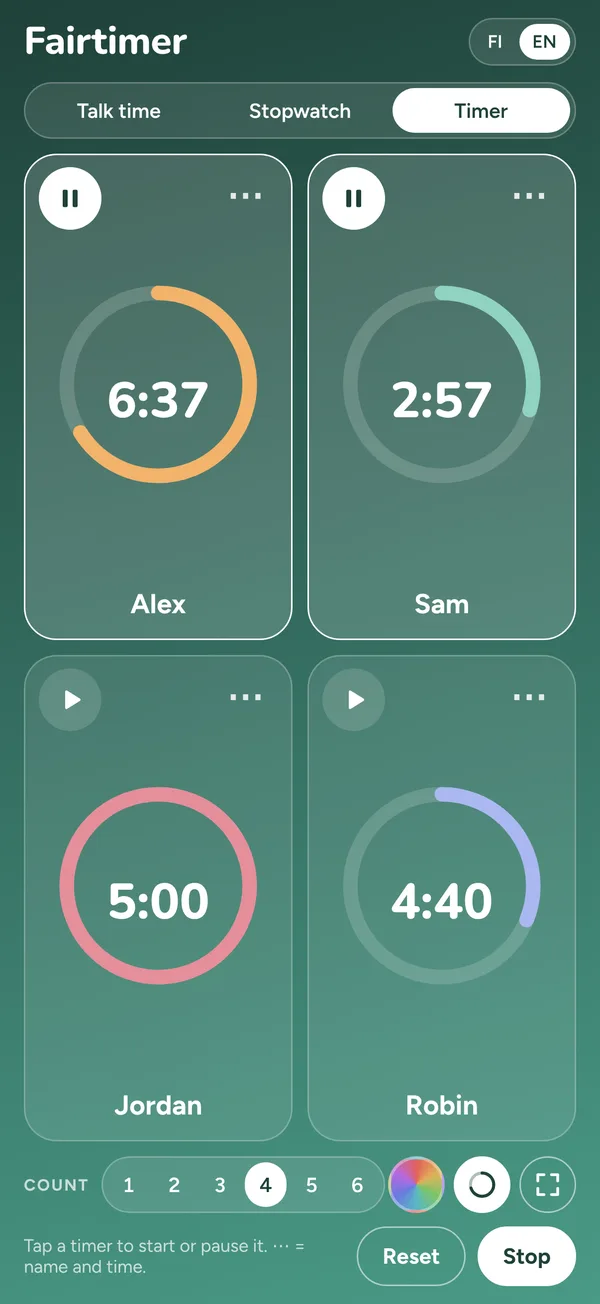
- 1–6 tiles, each with its own name, colour and time
- Timer counts down, stopwatch counts up, several at the same time
- Fill view or arc view, and a full-screen mode
- The screen stays on while a timer runs
The alarm comes even with the phone locked
When a timer ends, you get a notification on the lock screen. Allow notifications the first time you start a timer.
Free up to 15 minutes. Pro once, no subscription.
Free
- All three modes: talk time, stopwatch, timer
- Timer up to 15 minutes
- Stopwatch and talk time up to 15 minutes per round
Fairtimer Pro
- No time limits
- Every mode, every tile
A round in progress is never cut off at 15 minutes; only a new round asks for Pro.
Questions and answers
How do I restore Pro on a new phone?
Open the Pro window and tap Restore purchase. Sign in with the same Apple ID you bought with.
What do I get in the free version?
All modes. The longest timer is 15 minutes, and stopwatch and talk time 15 minutes in total per round.
Does a round stop at 15 minutes?
No. The running round continues; only a new round asks for Pro.
Why does the timer not alarm on the lock screen?
Allow notifications: iPhone Settings → Fairtimer → Notifications.
How do I get a refund?
Through Apple: reportaproblem.apple.com.
Contact: hello@embodyapps.fi. Tell me your iPhone model and iOS version.
No account. No ads. No tracking.
Fairtimer collects nothing. Names, colours and times stay on your own phone.
Coming soon to the App Store
For iPhone, in English and Finnish. Leave your email and I'll let you know the day it's out.
Or try it now in TestFlight →