Run your session on time.
Plan the flow of a workshop, training or talk: sections, durations and facilitators, with clock times calculated for you. Then run it from your phone and see at a glance whether you are on schedule.
A workshop schedule is easy to write. Keeping to it is the hard part.
One section runs long and every time after it is wrong. Timepace recalculates as you go, so you always know where you are and what to cut.
Sections, durations, and the times work themselves out
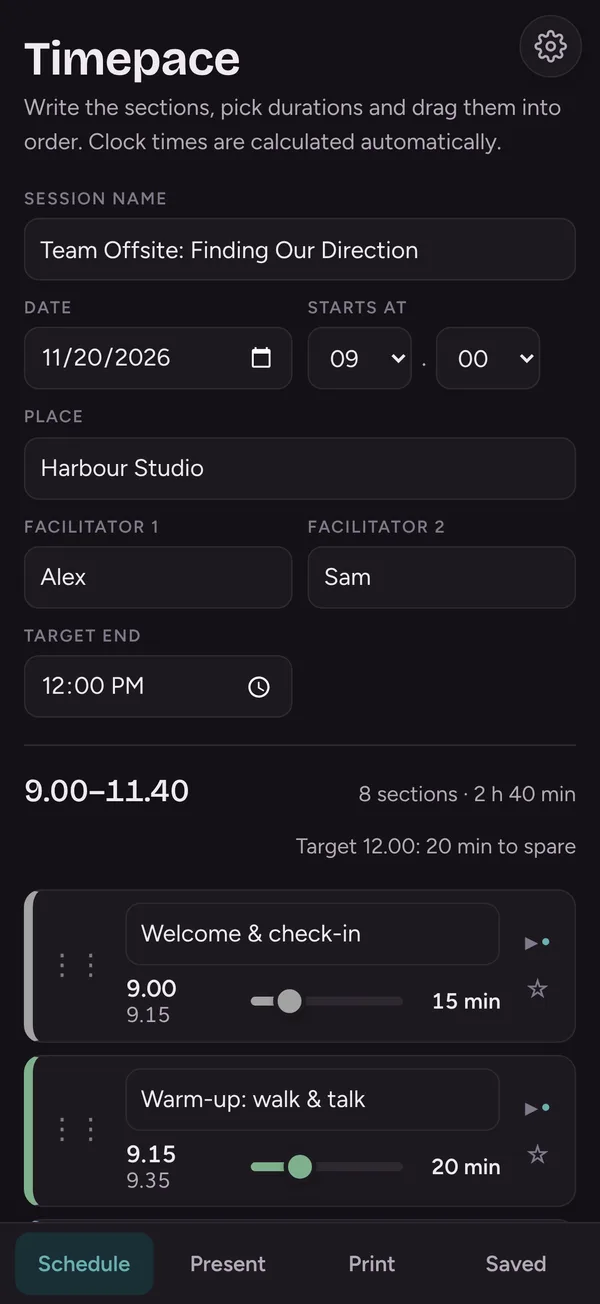
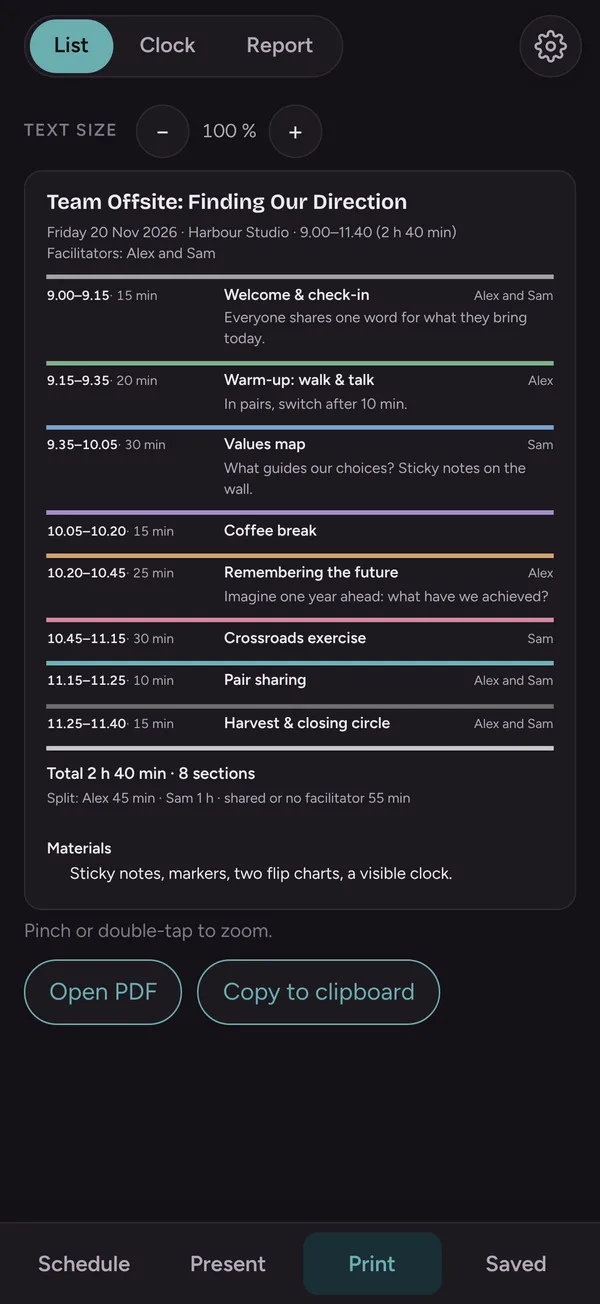
- Add sections and set their length with a slider. Clock times are calculated for you.
- Drag sections into order, add a break with one tap
- Two facilitators: see who leads what and how the time is split
- Set a target end time: times turn red if the plan runs over
- Ready-made parts like check-in or a break, saved to reuse
- Notes and a materials list for the end of the session
See where you are, without doing maths
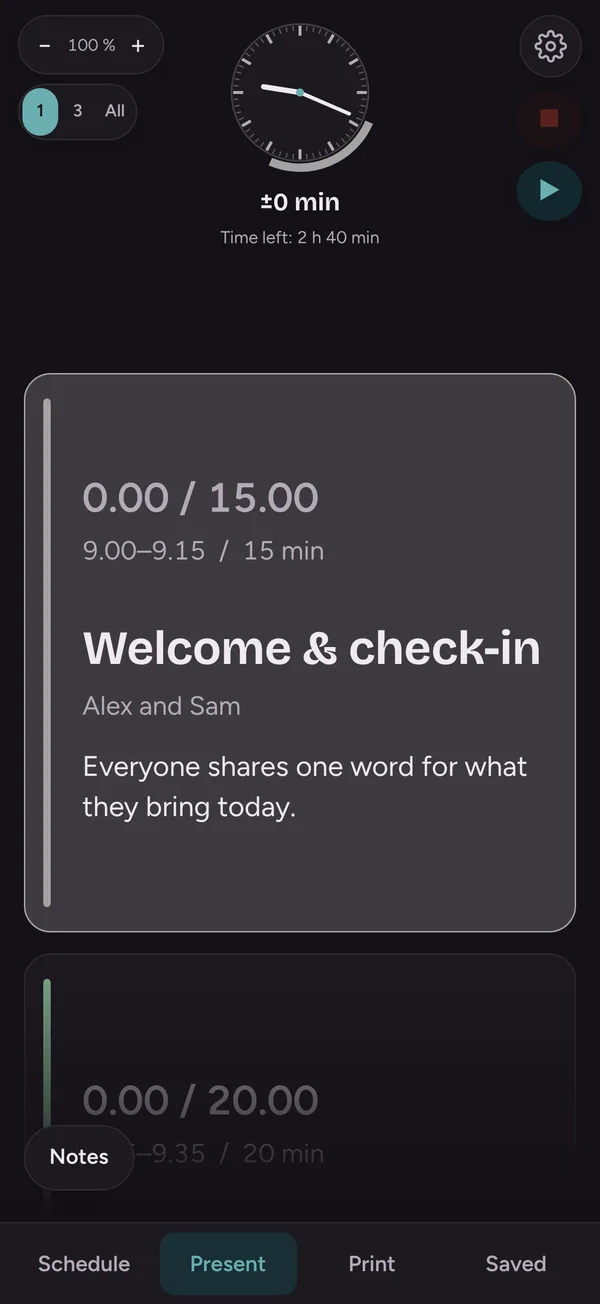
- One section at a time, or 1, 3 or all at once
- A bar drains as time passes: orange at the warning, red when over
- Time left for the whole session, and any overrun
- When a section runs over: "Shorten next" takes the time from the next section, "Extend" lengthens this one
- Turn the phone sideways to see three sections full screen
- The screen stays on, and a vibration warns before the end
- Actual times are recorded automatically
A clean plan to share, a report afterwards
- List: the day as a PDF or to the clipboard
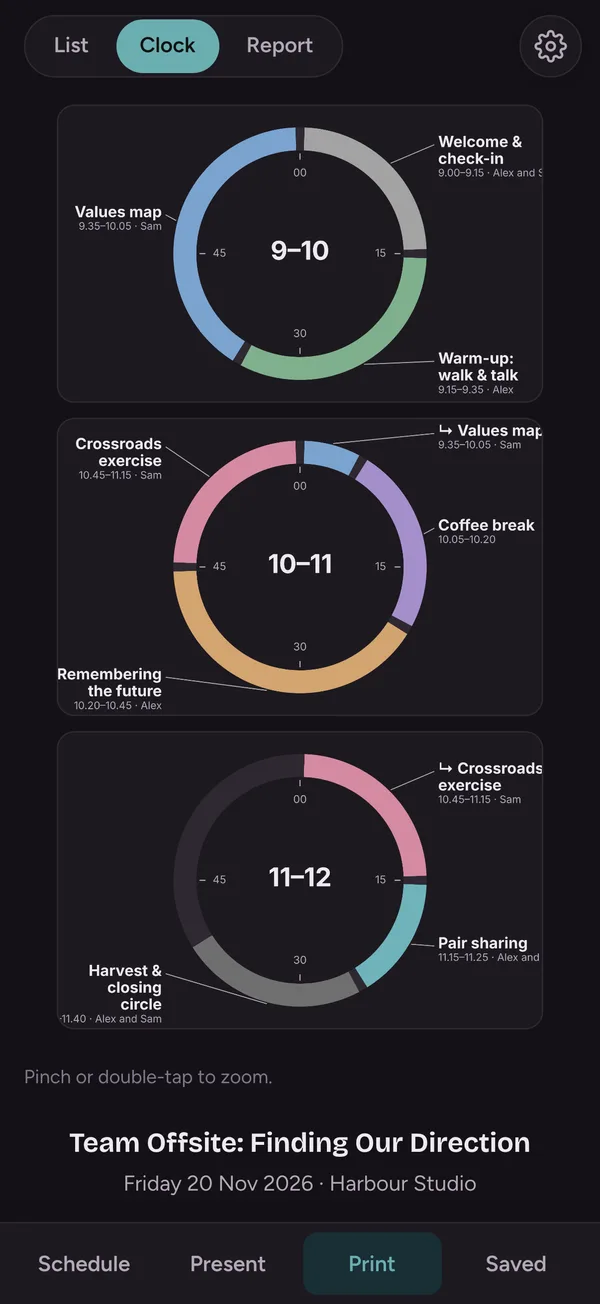
- Clock: each hour as a clock face, so the whole session is visible at a glance
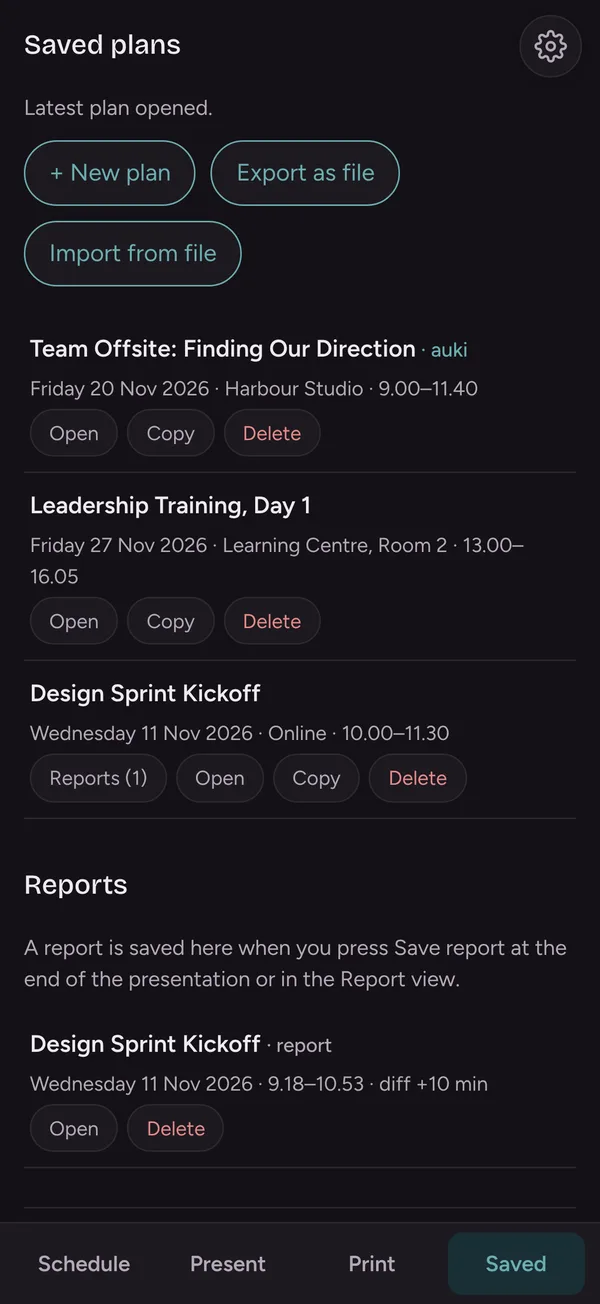
- Report: planned vs actual times, afterthoughts, and a PDF
Plan together with your co-facilitator
- Saved plans you can open, copy as a template or delete
- iCloud sync keeps your plans on all your devices (Pro)
- Share a plan with a co-facilitator and edit it together (Pro). The person you invite does not need Pro.
- Or send a copy as a file through AirDrop, Mail or Messages
Free to start. Pro when you need more.
Free
- All planning, presenting, printing and report features
- 2 saved plans
Timepace Pro
- Unlimited saved plans
- iCloud sync between your devices
- Shared plans with co-facilitators
Subscriptions renew automatically unless cancelled at least 24 hours before the end of the period. Manage them in your App Store account settings.
Questions and answers
How do I share a plan with a co-facilitator?
Open Settings → Sharing, choose the plan and tap Share together. Your co-facilitator gets an iCloud invitation and sees the plan in their own Timepace. Sharing needs Pro on your side only. You can also send a copy as a file.
How do I restore my purchase on a new phone?
Settings → Timepace Pro → Restore purchases. Use the same Apple ID you bought with.
How do I cancel my subscription?
On your iPhone: Settings → your name → Subscriptions → Timepace. The subscription stays active until the end of the period you have paid for.
Where is my data?
On your own device, and in your own iCloud if you turn on sync. Nothing is sent to the developer.
Something does not work, or I have an idea
Email hello@embodyapps.fi. I read every message.
No account. No ads. No tracking.
Your plans and reports stay on your device and, if you choose, in your own iCloud.
Coming soon to the App Store
For iPhone, in English and Finnish. Leave your email and I'll let you know the day it's out.
Or try it now in TestFlight →